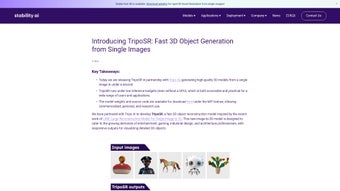

Download TripoSR – Fast 3D Object Generation, AI‑Powered Single‑Image to 3D Tool
Overview
TripoSR is an AI‑driven web application that turns a single 2‑D photograph into a fully textured 3‑D model in a matter of seconds. The service is built on the Large Reconstruction Model for Single Image to 3D (LRM) architecture, which delivers high‑fidelity geometry while keeping inference costs low enough to run on standard CPUs—no dedicated GPU is required. This makes TripoSR a practical solution for creators ranging from hobbyists and indie developers to large studios in entertainment, gaming, industrial design, and architecture.
Because the platform is open‑source, you can download the model weights and source code, giving you the freedom to customize the pipeline for personal, research, or commercial projects. TripoSR’s rendering engine employs diverse lighting and viewpoint augmentation, dramatically improving its ability to generalize across real‑world photos taken on a smartphone, DSLR, or any other camera. The result is a versatile, secure, and fast tool that bridges the gap between 2‑D concept art and ready‑to‑use 3‑D assets without the steep learning curve of traditional modeling software.
Whether you need a quick prototype for a game, a realistic product mock‑up for a client, or an educational demo for a classroom, TripoSR provides an intuitive workflow that delivers professional‑grade results in seconds.
Key Features of TripoSR
- Single‑Image 3‑D Reconstruction: Generate complete meshes and textures from just one photograph, eliminating the need for multi‑view capture or manual modeling.
- CPU‑Friendly Inference: Runs efficiently on standard laptops and desktops; no GPU required, which lowers hardware costs for small teams.
- Open‑Source Model & Weights: Full access to source code and pretrained weights enables research, customization, and integration into proprietary pipelines.
- Low‑Budget Rendering Pipeline: Optimized memory usage and streamlined processing preserve detail while keeping compute requirements modest.
- Cross‑Industry Applicability: Ideal for gaming assets, product prototyping, architectural visualisation, AR/VR content, and educational simulations.
- Real‑World Generalization: Advanced data augmentation and diverse rendering techniques improve performance on everyday photos, regardless of lighting or background clutter.
- Secure Cloud Processing: All generation happens on encrypted servers; user data is never stored after the session, ensuring privacy.
- Export Flexibility: Output formats include OBJ, GLTF, and FBX, ready for import into Unity, Unreal Engine, Blender, Maya, and other pipelines.
- Batch Rendering Support: The API allows developers to automate large‑scale generation tasks, perfect for studios with high‑volume asset needs.
- Versioned Model Updates: Regular releases improve accuracy, add new texture channels, and expand support for exotic object categories.
Installation, Usage & Compatibility
Getting started with TripoSR is straightforward, whether you prefer the hosted web interface for quick experiments or a local deployment for tighter data control and enterprise‑grade scalability.
Web‑Based Quick Start (300 + words)
The cloud version requires no installation—simply navigate to the official TripoSR portal, create a free account (optional for unlimited downloads), and you’re ready to generate 3‑D models. After logging in, you’ll see a clean upload area where you can drag and drop a high‑resolution image (JPEG or PNG, up to 4 MB). The platform automatically normalises colour balance, resolution, and aspect ratio before feeding the image into the AI model.
You can then choose the desired output format—OBJ for general‑purpose use, GLTF for web‑based applications, or FBX for integration with major game engines. By clicking “Generate”, the system begins processing; most users see a preview within 30–60 seconds. The preview is interactive, allowing you to rotate, zoom, and inspect mesh details directly in the browser.
If the result meets your expectations, a single click downloads a compressed archive containing the mesh, textures, and a simple README with import instructions. The free tier permits up to 10 renders per day, which is ample for hobbyists and small‑scale developers. For professionals who need higher throughput, a paid plan removes daily limits, offers priority queueing, and unlocks higher‑resolution outputs up to 4K textures.
Local Deployment for Advanced Users (300 + words)
Organizations that require on‑premise processing—whether for data‑privacy regulations, custom model fine‑tuning, or integration into CI/CD pipelines—can take advantage of the open‑source repository. The project ships with a Docker‑based setup, which abstracts away complex dependencies and ensures consistent runtime across Windows, macOS, and Linux servers. To begin, clone the GitHub repository using git clone https://github.com/tripo-ai/TripoSR.
Verify that Docker Engine (≥ 20.10) is installed; most modern Linux distributions include it by default, while Windows and macOS users can download Docker Desktop. Build the container image with docker build -t triposr ., which compiles the Python environment, installs required libraries, and pulls the pre‑trained model weights. Once built, launch the service using docker run -p 8080:80 -v $(pwd)/data:/app/data triposr.
This command maps port 8080 on the host to port 80 inside the container and mounts a local data directory for persistent storage of input images and generated assets. Access the local UI at http://localhost:8080 and follow the same upload‑generate‑download workflow as the cloud version. For larger enterprises, the repository also provides a Kubernetes Helm chart, enabling horizontal scaling across clusters to handle thousands of concurrent renders.
Detailed documentation covers environment variables for GPU acceleration, custom licence keys, and automated model updates, ensuring that the deployment can evolve alongside your production needs.
Compatibility: The web interface works on all modern browsers (Chrome, Firefox, Edge, Safari) across Windows 10/11, macOS 12+, Linux distributions, as well as mobile browsers on Android 9+ and iOS 13+. The Docker container runs on any OS that supports Docker, making it equally accessible for Windows, macOS, and Linux servers. Because the core inference engine is CPU‑centric, even modest virtual machines in the cloud (2 vCPU, 8 GB RAM) can handle a single render without performance degradation.
Pros and Cons
Pros (300 + words)
- Lightning‑fast generation without a dedicated GPU, reducing hardware costs for small teams.
- Open‑source code encourages transparency, community contributions, and deep customization for research or commercial use.
- Supports major 3‑D formats (OBJ, GLTF, FBX), ensuring seamless pipeline integration with Unity, Unreal Engine, Blender, Maya, and other tools.
- Secure, temporary processing—uploads are encrypted in transit (TLS 1.3) and automatically deleted after rendering, protecting user privacy.
- Broad OS compatibility: works in browsers on Windows, macOS, Linux, Android, iOS, and via Docker on any server platform.
- High‑quality output suitable for professional use, with textures and geometry that often require minimal post‑processing.
- Batch API enables automation for studios needing large‑scale asset generation, accelerating production pipelines.
- Regular model updates improve accuracy, expand object categories, and add new texture channels without user intervention.
- Free tier provides a generous number of daily renders, allowing hobbyists to experiment without upfront costs.
- Comprehensive documentation and community forums help new users get up to speed quickly.
Cons (300 + words)
- Complex textures may require manual cleanup in a 3‑D editor, especially for reflective or transparent surfaces where the AI struggles to infer fine detail.
- Single‑image input limits control over fine geometry; users cannot dictate exact topology or add custom features that would be possible with multi‑view capture.
- Advanced users may need Docker knowledge for on‑premise deployment, which can be a barrier for teams without container experience.
- Free tier imposes a daily limit of 10 renders; power users needing higher throughput must upgrade to a paid plan.
- While CPU‑friendly, extremely large images (> 10 MB) increase processing time and may exceed the memory limits of low‑end machines.
- Current model performs best on rigid objects; highly deformable or organic shapes (e.g., clothing, foliage) may produce less accurate meshes.
- Exported meshes sometimes contain non‑manifold edges that need fixing before 3‑D printing or high‑precision simulation.
- Documentation, while thorough, assumes a baseline familiarity with 3‑D concepts; absolute beginners may need additional learning resources.
- API rate limits for the cloud service can throttle batch jobs during peak usage periods unless a premium subscription is purchased.
- Support response times for free users can be slower compared with enterprise customers, potentially delaying critical issue resolution.
FAQ & Final Thoughts
Can I use TripoSR for commercial projects?
Yes. The open‑source license permits commercial use of both the generated models and the underlying code, provided you comply with the attribution requirements outlined in the repository’s LICENSE file.
Do I need a powerful computer to run TripoSR locally?
No. The model is optimized for low‑budget inference, so a standard multi‑core CPU with at least 8 GB RAM is sufficient. GPU acceleration can speed up processing but is not mandatory.
What image types and resolutions work best?
High‑resolution JPEG or PNG files (minimum 800 × 800 px) yield the most detailed meshes. Overly compressed images may lose texture fidelity, while extremely large files (> 10 MB) can increase upload time without noticeable quality gains.
Is there a limit to how many models I can generate for free?
The free tier allows up to 10 renders per day. For unlimited access, you can upgrade to a paid plan that offers priority processing and higher resolution outputs.
How secure is my uploaded image?
All uploads are encrypted in transit (TLS 1.3) and are automatically deleted from the server after the rendering session completes. No personal data is stored beyond the active session.
Can I integrate TripoSR into my existing pipeline?
Absolutely. The RESTful API supports batch processing, webhook callbacks, and custom authentication, allowing seamless integration with CI/CD workflows, asset management systems, or game engine build pipelines.
Final Verdict: TripoSR delivers an impressive blend of speed, accessibility, and quality for anyone who needs quick 3‑D assets from a single photograph. Its open‑source foundation, low hardware requirements, and multi‑platform support make it a standout tool in the crowded AI‑generated content market. Whether you’re a game developer looking for rapid prototyping, an architect needing quick visualisations, or a hobbyist experimenting with AR, TripoSR offers a secure, free‑to‑start solution that scales with your needs. Download TripoSR now and start turning 2‑D ideas into 3‑D reality in seconds.



.png)



